Vibe Coded Design – 2025
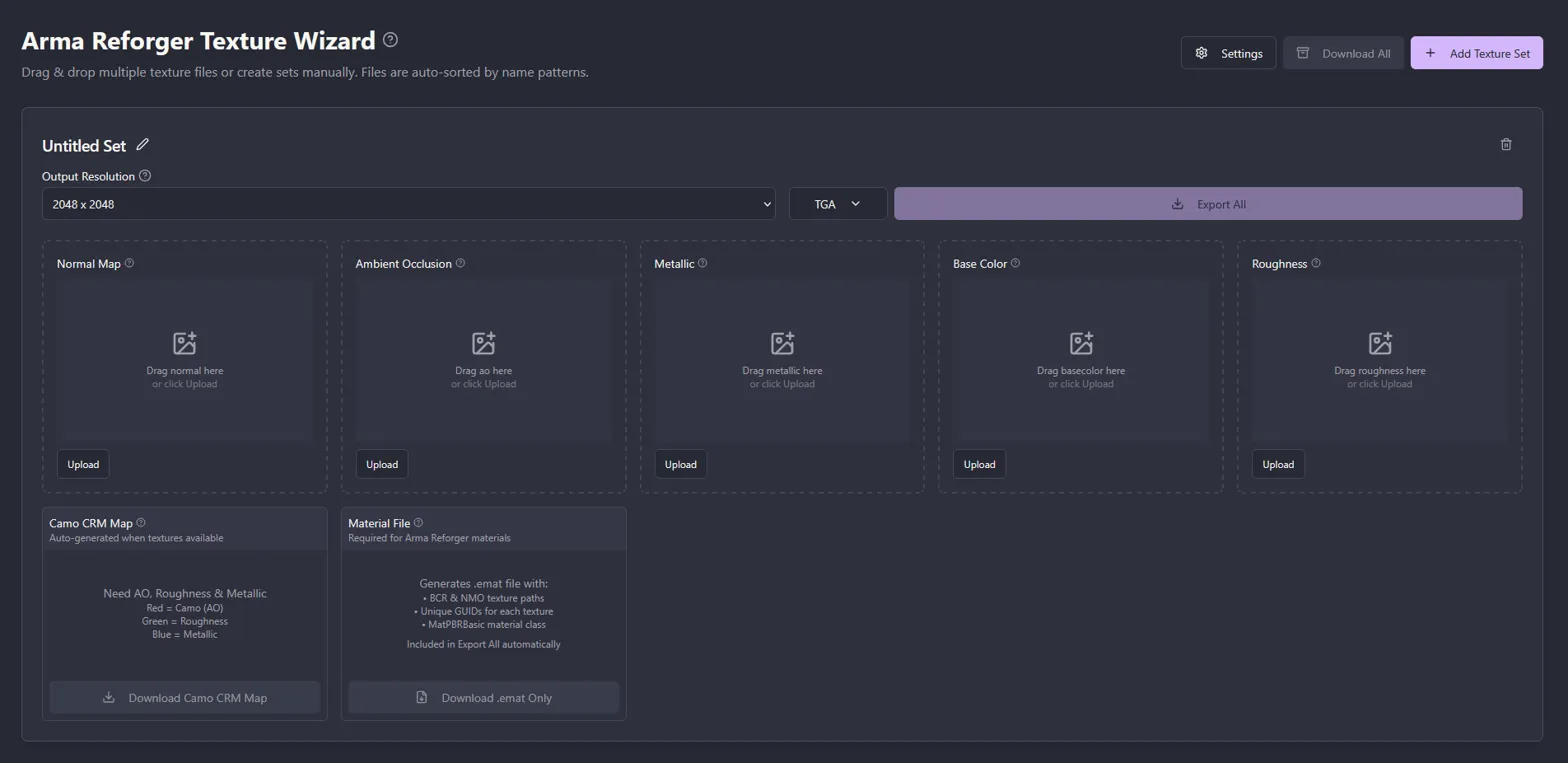
Arma Reforger Texture Wizard
Role
Solo Designer & Builder
Timeline
1 Day
Team
Solo
Skills
Lovable (vibe-coding), Photoshop (benchmarking)
Impact
- Active use by Arma Reforger modders
- Zero errors reported
- ~45 min manual workflow for 14 texture sets reduced to ~90 seconds
- Cost to build: $0, one day
The Problem
Arma Reforger requires two proprietary texture formats (NMO and BCR) that no standard 3D marketplace exports. Modders importing third-party models have to manually split and recombine texture channels in Photoshop, file by file.
For a model pack with 100 texture sets, that's 500 files opened, split, recombined, and exported by hand.
Many modders don't even have Photoshop.
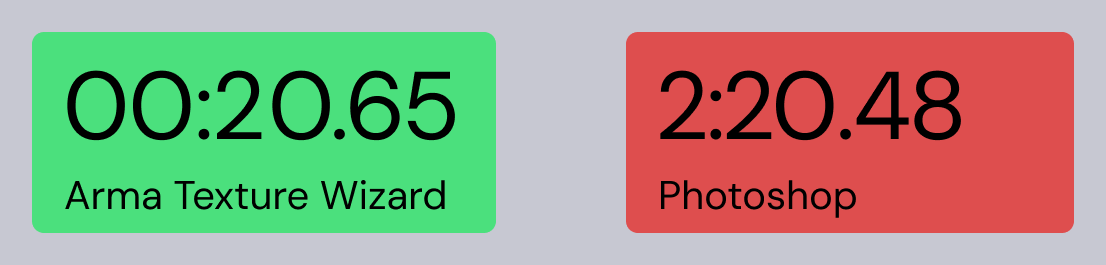
Manual Photoshop workflow (5 source files, channel splitting, manual recombination, 2 output files) vs. the Texture Wizard workflow (drag and drop, automatic, done)
Users
Arma Reforger modders importing third-party models, not artists creating original textures in Substance Painter (which already exports to Reforger formats).
Key Decisions
Drag-and-Drop Input
Users drop hundreds of files at once into the app. No file pickers, no one-at-a-time uploads. The interface accepts bulk input because that matches the real workflow. Modders work with entire model packs, not individual textures.
Auto-Sort by Filename
The app groups dropped files into texture sets by name and identifies each file type by suffix (_normal, _ao, _basecolor). It then packs the correct channels automatically. This is the core automation that eliminates the manual Photoshop work.
Manual Override
Auto-sort can't catch everything. I added the ability to manually assign orphan files to specific texture sets. This was a direct result of testing with real files that broke naming conventions.
Configurable Alias System
Different artists name files differently (_normal, _norm, _n). I built a settings page where users define what suffixes map to what texture type. I chose flexibility over zero-config, because wrong output is worse than slow input.
Resize Textures on Export
Game performance depends on texture resolution. Modders often need to downscale marketplace textures (4K to 2K or 1K) for performance. I added resolution selection per texture set so users can resize during export rather than making a separate pass in Photoshop.
Batch Export
The first version only had individual downloads. At 200 output files, that's its own bottleneck. I added zip export but kept individual downloads for partial re-exports.
What I Cut (and Why)
I wanted to add a 3D material preview so users could verify textures on a rendered object before downloading. I couldn't afford it because I ran out of Lovable credits with a $0 budget. The core value is batch automation, not visual verification. Modders check textures in-engine within minutes anyway.
I can rationalize the cut, but honestly the real constraint was resources, not product strategy. Both are true.
What I Missed
No file-upload button. Drag-and-drop was the only input method. I designed from my own workflow and didn't consider the obvious fallback. Basic accessibility gap I should have caught on day one.
Iteration
After sharing with other modders:
| What broke | What I changed |
|---|---|
| Alias defaults too narrow | Expanded defaults, made settings more prominent |
| Downloading 200 files individually | Added zip export |
| Files that broke naming conventions | Added manual file assignment |
What I'd Measure
- Auto-detection accuracy: what percentage of files get sorted correctly without override
- Settings engagement: are defaults working or is everyone reconfiguring?
- Batch size: solving the scale problem, or just replacing Photoshop for small jobs?